Did something catch your interest?
There is a lot of interesting content that you can find on the Internet, but it is very easy to lose them in your searches. The Pinterest Save Button exists to prevent this from happening. It acts like a special bookmark that lets users save a webpage quickly and easily before they forget and lose track of it. Saved pages are pinned on their Pinterest board in the official site so users can go back and check them whenever they want to.
Top Recommended Alternative

Better than bookmarks
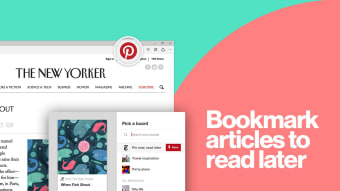
Compared to a browser’s built-in bookmarks feature, Pinterest Save Button does more than simply save webpages, and pile them up in a list. You’d be delighted to know that this add-on gives its users added convenience by saving your bookmarked pages under different boards. With this, you can save websites according to the category where you think they fit. To make things better, users have the freedom to choose which board they like the bookmarked page to be saved in. Compared to simply bookmarking them in your browser, using the Pinterest Save Button saves you from consuming so much time scrolling through your long list of bookmarks.
Pin it!
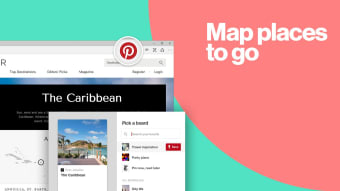
Using the Pinterest Save Button is actually very easy. After installing the extension, you will see the Pinterest icon displayed on the upper-right corner of your browser window. It is made conveniently accessible so users can just click on it whenever they would like to bookmark or pin a webpage. You can then choose where to pin your page in the small list of boards that you have. Later on, when you would like to go back and visit the pinned site again, you can simply go and check your Pinterest boards. Compared to a list of text links in your browser’s bookmarks, Pinterest will display your saved pages in small preview icons so that they are easy to spot and recognize.
A game-changer
Having the Pinterest Save Button installed in your browser is a big help. It is more efficient and convenient, not to mention that it also makes page hunting less confusing. With the many things that are present on the web, Pinterest Save Button will make sure that you will be able to find and keep track of the things that have caught your interest.